How to set up recurring tasks in Trello
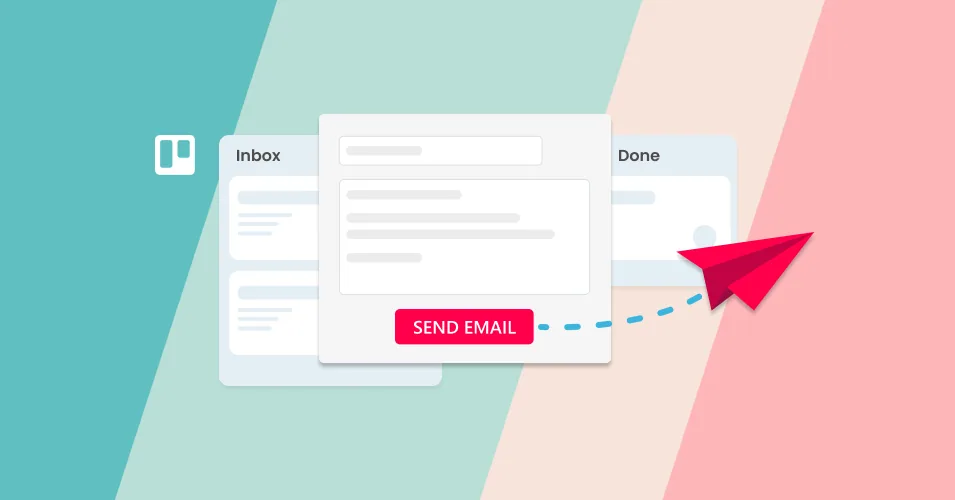
Trello recurring tasks don't need an automation rule. Set a cadence on the card's due date, choose recycled or fresh cards, and send your weekly email too.
Read More: How to set up recurring tasks in Trello
Trello recurring tasks don't need an automation rule. Set a cadence on the card's due date, choose recycled or fresh cards, and send your weekly email too.
Read More: How to set up recurring tasks in TrelloTurn Trello due dates into scheduled sales follow-ups. Set chase reminders, save your templates, and let Trello automation send the email for you.
Read More: Schedule sales follow-up emails from Trello cardsHow to run sales as a team on one Trello board: simple rules for who owns each reply, handoffs that carry the whole story, and a pipeline your entire team can read without asking anyone for an update.
Read More: Sales is a multiplayer game: here’s how to play it in Trello15 Trello Power-Ups for automation, reporting, calendar, forms, and email that are free or have a usable free plan.
Read More: The Best Free Trello Power-Ups in 2026Build a customer success board in Trello: account cards with health and renewal fields, customer email kept on the card, and automated check-in emails.
Read More: Customer Success Workflows in TrelloSet up a hiring pipeline in Trello: turn applications into cards, track candidates by stage, and send interview and offer emails from saved templates.
Read More: Build a recruitment pipeline in Trello with email templatesSet up Trello as a working CRM — pipelines, deals, Custom Fields, automated follow-ups, and where it falls short of a dedicated tool.
Read More: Trello as a CRM: The Complete 2026 GuideCompare shared inbox tools, helpdesks, Trello-native options, and DIY setups to find the right fit for your small team.
Read More: Shared inbox software for small teams: how to chooseSet up a Claude Project skill tailored to your Email for Trello workflow, and generate accurate Saved Reply templates with the right variables built in.
Read More: Build a Claude skill for your Email for Trello workflowTake your customer support communication to the next level with our ultimate guide to AI prompts for writing and personalizing your emails.
Read More: The ultimate guide to email prompts for customer service teamsTake your HR communication to the next level with our ultimate guide to AI prompts for writing and personalizing your emails.
Read More: The ultimate guide to email prompts for HR teamsTake your eCommerce messaging to the next level with our ultimate guide to AI prompts for writing and personalizing your emails.
Read More: The ultimate guide to email prompts for eCommerce teamsLearn how to use pattern matching with regex and wildcards in Trello to create more complex automations for your email workflow.
Read More: Trello's hidden automation features! [Complex pattern matching]Take your sales communication to the next level with our ultimate guide to AI prompts for writing and personalizing your emails.
Read More: The ultimate guide to email prompts for sales teamsNew year, more reporting power! Boost your sales workflow by adding email reports to your team’s shared inbox in Trello.
Read More: Add reporting to your shared inbox in TrelloGet inspired and streamline your Trello PR pipeline with our top 10 list of Power-Ups for marketing teams in 2026.
Read More: Top 10 Trello Power-Ups for marketing teams in 2026Butler rules, buttons, scheduled commands, and recipes to set up today.
Read More: The Complete Guide to Trello Automation in 2026Get inspired and streamline your Trello help desk with our top 10 list of Power-Ups for customer support teams in 2026.
Read More: Top 10 Trello Power-Ups for support teams in 2026Get inspired and streamline your Trello pipeline with our top 10 list of Power-Ups for sales and CRM teams in 2026.
Read More: Top 10 Trello Power-Ups for sales teams in 2026Manage annual performance reviews in Trello, and use the Email for Trello Power-Up to send emails right from your board.
Read More: How to manage annual performance reviews with TrelloRun your annual internal policy review in Trello, and use the Email for Trello Power-Up to send emails right from your board.
Read More: How to run an annual internal policy and procedure review with TrelloTransform your bookings management workflow with Email for Trello! Discover our top 10 tips for streamlining your reservations team’s tasks and emails.
Read More: 10 ways to become a bookings and reservations whiz in TrelloDiscover 10 email templates to help marketers and PR agents move faster and respond to email opportunities right from Trello.
Read More: 10 Email Templates For PR and Marketing TeamsScale your business using Trello boards, workflow automations, and Email for Trello, so that your team can manage increasing communication volume without chaos.
Read More: Scaling your business with TrelloDiscover our top Trello tips, templates, and automations to help your customer support team ensure fast email replies.
Read More: Improve first response time without hiring more agentsTransform your small business with Trello and the Email for Trello Power-Up! Organize daily ops, handle customer emails, and manage projects in one visual hub.
Read More: Why Trello is the ideal tool for small businessesUse the Email for Trello Power-Up to keep track of your client onboarding emails, tasks, and documents – all in one Trello board!
Read More: Simplify your client onboarding process with email in TrelloUse the Email for Trello Power-Up to merge duplicate Trello cards, and keep your help desk organized.
Read More: How to merge duplicate support tickets in Trello (without losing context)Learn how to write an invoice email and send it with the Email for Trello Power-Up.
Read More: How to write an invoice emailLearn how to write a friendly and tactful payment request with our invoice email templates.
Read More: How to write a polite and professional payment request emailUse the Email for Trello Power-Up to capture leads, respond automatically with tailored emails, and follow-up post-event – no extra tools needed!
Read More: How to use Trello to run an automated email-based sales demo at an in-person eventCombine Trello’s new features with the Email for Trello Power-Up, and give your PR and marketing team collaborative superpowers.
Read More: Level up your marketing and PR workflow with the new Trello and Email for TrelloA month on from Team '25, we share our top 3 takeways from the conference – plus some catch-up videos and other fun stuff!
Read More: Three ideas with staying power from Team ’25Combine Trello’s new features with the Email for Trello Power-Up, and give your sales team collaborative superpowers.
Read More: Level up your sales workflow with the new Trello and Email for TrelloCombine Trello’s new features with the Email for Trello Power-Up, and give your help desk team collaborative superpowers.
Read More: Level up your help desk workflow with the new Trello and Email for TrelloWe take a look at Trello’s new personal productivity features, and how you can make the most of them for collaborating with your team in Trello.
Read More: Tips for using Trello’s new personal productivity features as a teamTrello’s upcoming Personal Productivity feature release introduces new tools for planning and organizing your team’s work.
Read More: Everything you need to know about the new TrelloCombine Email for Trello with the Jira Power-Up so that you can keep customer-facing teams in sync with your development team.
Read More: Bridge the gap: How to use Email for Trello and the Jira Power-Up for smoother collaborationSet up a Trello board to manage incoming PR opportunities so that your team can respond quickly to requests and grow your brand’s visibility in the media.
Read More: How to run a PR pipeline with email in TrelloRunning a club, sports team, or study group? Improve communication and engagement in your membership organization with Trello and the Email for Trello Power-Up.
Read More: How to use Trello as a CRM for membership organizationsWe show you how to build your inbound sales workflow in Trello from scratch – no complicated CRM software required.
Read More: How to set up an inbound sales process in Trello from scratchWe show you how to keep your sales team up to date and on track with weekly email reports in Trello.
Read More: How to send weekly sales reports directly from TrelloTransform your invoice management processes with Email for Trello! Discover our top 10 tips for managing your email conversations and invoices in Trello.
Read More: 10 ways to become an invoicing pro in TrelloSet up your Trello workflow for smooth handovers that keep your team aligned and your projects on track.
Read More: Managing handovers across teams in TrelloUnlock the full potential of Trello for your teams! We explore how to make the most of Trello for teamwork and collaboration.
Read More: How to use Trello in a teamWe show you how to automatically send a survey as an email reply from Trello (and collect the survey responses on your board as Trello cards).
Read More: Tips for collecting year-end feedback with email in TrelloWe guide you through considerations for an Atlassian-based CRM – and show you how Trello and the Email for Trello Power-Up can set your team up for success.
Read More: The best SMB CRM software for the Atlassian ecosystemTurn Trello into a custom bookings and reservations workflow, and use Email for Trello’s CRM features to help your team stay organized.
Read More: 5 ways to improve your reservations processes with contact management in TrelloTurn Trello into a custom eCommerce workflow, and use Email for Trello’s contact management features to help your team manage orders and support.
Read More: 5 ways to improve your eCommerce workflow with contact management in TrelloWhether you're managing projects, CRM, customer support or finances, we show you how transform Trello into the central hub that keeps your business running smoothly.
Read More: A complete guide to using Trello as your business operating systemUnlock your property management potential with Email for Trello! Here's how strategic CRM can help your team streamline their communications and keep clients happy.
Read More: 5 ways to improve your property management process with contact management in TrelloReduce cart abandonment with better customer support! Use Email for Trello to streamline your workflow, improve customer service, and boost your online sales.
Read More: How to build trust and cut down on cart abandonmentTurn Trello into a custom invoicing workflow, and use Email for Trello’s CRM features to help your team stay organized.
Read More: 5 ways to improve your invoicing with contact management in TrelloTransform your property management workflow with Email for Trello! Discover our top 10 tips for streamlining your rental team’s tasks and emails.
Read More: 10 ways to become a property management pro in TrelloTurn Trello into a custom project management workflow, and use Email for Trello’s contact management to help your team stay on track.
Read More: 5 ways to improve your project management with contact management in TrelloConnect your eCommerce inbox to Trello so that you can quickly reply to emails, process orders, and collaborate with your team.
Read More: 10 ways to become an eCommerce pro in TrelloUse Email for Trello to simplify your WooCommerce customer support, improve response times and keep customers happy!
Read More: Manage support for your WooCommerce site in TrelloUse Email for Trello to simplify your Shopify customer support, improve response times and keep customers happy!
Read More: Manage support for your Shopify site in TrelloWe share some tips to boost email deliverability, reduce spam complaints and improve the effectiveness of your emails.
Read More: How to boost email deliverability: Tips you need to knowWondering what you can automate in Trello? Explore these automation possibilities for your HR and recruitment processes!
Read More: A complete list of HR processes you can automate in TrelloFor property management teams, great collaboration means efficient communication between property managers, tenants, and service providers. The result? Happy tenants and happy providers.
Read More: 5 ways to foster collaboration in your property management teamFostering collaboration on your finance team can lead to more effective budget management, forecasting, and compliance (and a better experience for your clients and customers).
Read More: 5 tips for helping your finance team collaborateFor eCommerce teams, collaboration is the backbone of success. Effective teamwork enables seamless customer interactions, efficient order processing, and the agility to respond to market changes swiftly.
Read More: 5 ideas for transforming collaboration within your eCommerce teamWhen managing bookings and reservations, efficient team collaboration ensures smooth operations, enhances customer service, and leads to happy customers.
Read More: 5 ways to build a collaborative front-of-house teamA well-collaborated project management team can significantly increase the efficiency and outcome of any project. Let’s delve into five effective ways to enhance team collaboration.
Read More: 5 ways to build collaboration on your project management teamEffective collaboration among recruiters, HR personnel, and department heads can streamline the hiring process, enhance the quality of hires, and improve candidate experiences.
Read More: 5 ways to build collaboration on your recruitment teamFor fast-paced sales teams, collaboration isn't just a buzzword—it's a crucial element of success. Let’s explore five essential strategies to enhance collaboration among sales teams.
Read More: 5 ways to build collaboration on your sales teamFor customer service and success teams, collaboration isn't just beneficial – it's essential. We look at 10 ways you can enhance collaboration among your customer service and success teams.
Read More: 10 ways to build collaboration in your customer service teamTurn Trello into a custom HR platform, and use Email for Trello’s contact management to help your HR team hire better talent, faster.
Read More: 5 ways to improve your recruitment process with contact management in TrelloTransform your recruitment pipeline with Email for Trello! Discover our top 10 tips for managing your email conversations and HR tasks in Trello.
Read More: 10 ways to become an HR and recruitment pro in TrelloKeen to unlock your sales potential with Email for Trello? Here's how strategic contact management can help your sales team engage leads and close more deals.
Read More: 5 ways to improve your sales with contact management in TrelloTransform your sales and CRM workflow with Email for Trello! Discover our top 10 tips for streamlining your sales team’s tasks and emails.
Read More: 10 ways to become a sales and CRM expert in TrelloUnlock your customer support potential with Email for Trello! Here's how strategic contact management can help your support team provide better service.
Read More: 5 ways to improve your customer support with contact management in TrelloWith clear priority levels and automated processes, a triage board can help you navigate urgent tasks with ease, ensuring a more productive workflow.
Read More: How to set up a triage board in TrelloConnect your support inbox to Trello to quickly reply to emails, process help tickets, and collaborate with your customer service team.
Read More: 10 ways to become a customer success hero in TrelloStay up to date with the latest email regulations from Google and Yahoo for better inbox safety, applicable to bulk senders from February 2024.
Read More: Gmail and Yahoo’s new email requirements in 2024Transform your project management workflow with Email for Trello! Discover our top 10 tips for streamlining your team’s tasks and emails.
Read More: 10 ways to become an expert project manager in TrelloNew to Trello? We show you how to get set up, use basic and advanced features, and share our favorite resources for further learning.
Read More: Trello Tutorial: Your ultimate guide to getting started with TrelloOrganize your business workflow! Follow our guide to setting up, using and automating workflows for your tasks and emails in Trello.
Read More: Managing business workflows with Trello: A step-by-step guideThese ten email templates will help you develop communication for various rental scenarios with professionalism and ease.
Read More: 10 Email Templates For Managing Your Rental PropertyWhether you're a finance manager, freelancer, or small business owner, these ten email templates will help you manage your invoicing processes.
Read More: 10 Email Templates For Managing Your Invoicing ProcessThese ten email templates will help you manage your eCommerce systems and stay in touch with customers easily.
Read More: 10 Email Templates For Managing Your eCommerce WorkflowThese ten email templates will help your team customize and optimize your booking and reservation management system.
Read More: 10 Email Templates For Managing Your Booking & Reservation ProcessThese ten email templates will help you streamline your hiring pipeline for a more effective recruitment process.
Read More: 10 Email Templates For Hiring & Recruitment ManagersCopy five project management email templates (kickoff, status, escalation, change request, sign-off) and keep them ready to send from Trello.
Read More: The Best Project Management Email TemplatesThese ten email templates will help you boost your sales outreach and ensure you convey your message with clarity and professionalism.
Read More: 10 Email Templates For Sales OutreachUse email templates in your Kanban helpdesk system to improve communication, save time, and promote transparency and collaboration.
Read More: 10 Email Templates For Your Kanban HelpdeskHarness the hidden power of email! Follow our tips to transform your workflow and get the business edge with email.
Read More: 3 tips to drive your business forward with emailLooking for a way to improve your email writing? Learn how to prompt ChatGPT to produce well-structured emails that fit your brand tone of voice.
Read More: ChatGPT Prompts for Email Writing: A Practical GuideGet emails out of your inbox and into Trello! Set up a forwarding rule to receive emails in Trello using your own email address.
Read More: Automatically forward emails from your inbox to TrelloTeach ChatGPT how to use Trello variables and Custom Fields so that you can quickly build a library of Saved Replies.
Read More: Get ChatGPT to write your Saved Reply emailsUse RSS and Zapier to turn any Trello board into a real-time monitoring feed, so that you can keep track of brand mentions from around the web.
Read More: How to create a brand monitoring board in TrelloGet the Trello bots to do the heavy-lifting! Here are 10+ things you can automate in Trello to save team time and get more done.
Read More: Trello automation templates to transform your workflowMake Trello the hub for your business in 2023. Here are 5 essential Trello boards to transform your business workflows.
Read More: 5 Trello boards for your business in 2024Love Kanban? Apply it to your email inbox! Organize your shared inbox with Kanban so that your team can respond to emails strategically and get more done.
Read More: Kanban for Email: How to organize your inbox and up your productivityConnect a shared accounting inbox so that you can manage all incoming bills and invoices as separate Trello cards.
Read More: How to manage your business invoices with Email for TrelloFinally take control of your inbox! We take a look at five quick ways to apply inbox zero to your shared email address.
Read More: 5 steps to master your shared inboxTransform your team’s email inbox into a streamlined workspace for your online business. Manage orders, packing and shipping from one central dashboard.
Read More: How to manage your eCommerce orders in TrelloTransform the way you manage projects with Email for Trello. Spot bottlenecks and keep stakeholders up to date with a customized project management workflow.
Read More: How to manage projects in Trello using emailTransform your shared inbox into a shared workspace with Email for Trello! Stay organized, respond faster, and keep customers happy.
Read More: How to create an email help desk in TrelloCustom Fields can be used in powerful ways to filter, sort and display information. Here are our top four ways to get more out of Custom Fields in Trello.
Read More: Our top 4 tricks to get the most out of Trello Custom FieldsGet your Google Form submissions into Trello so that your team can collaborate on incoming enquiries with SendBoard’s Email for Trello.
Read More: How to connect Google Forms to Email for Trello with ZapierWhether you’re in sales, support or reservations, here are three ways to get the most out of reporting in Trello.
Read More: Three reports to try in TrelloMake sure your emails look good in your customer’s inbox! Try our top 4 tips for instantly recognizable customer communications.
Read More: 4 ways to brand your emails with Email for TrelloConnect a shared recruitment inbox so that you can manage all incoming email applications as separate Trello cards.
Read More: How to manage a hiring pipeline with Email for TrelloFind the perfect Trello plan for your business with our guide to Trello’s plans and pricing structure.
Read More: A guide to Trello’s pricing structureBuild trust, manage expectations and improve customer service! We share actionable tips for improving your email auto-replies.
Read More: What your email auto-reply should sayTrello's new views offer fresh ways to visualize your board data! Here's how to get the most out of them for your email workflow.
Read More: Email at a glance: Trello’s new Timeline and Calendar viewsWith SendBoard in Trello, you get more value out of your existing tools – plus your team gets email superpowers. Win!
Read More: Why Startups Love SendBoardWe dive into what makes a great email signature and how you can put one together with SendBoard's Email for Trello Power-Up.
Read More: How to craft the perfect email signature for your shared mailboxKanban has become one of the most popular agile methodologies. Here are 4 powerful ways to improve your team’s email workflow using Kanban.
Read More: 4 ways to harness the power of Kanban for emailAdd smart content to your automated replies for more personal and relevant emails that potentially solve customer queries before you’re even aware they exist.
Read More: Create smart email auto-responses with SendBoard and TrelloThe Email for Trello Power-Up by SendBoard transforms your shared inbox into a shared workspace, so that your team can collaborate on email.
Read More: Share the load: Connect a shared email inbox to Trello with SendBoardThe team at Codeo use Trello and SendBoard to keep email organised, collaborate effectively and offer top customer support – all while working remotely.
Read More: How Codeo uses Trello and SendBoard for customer supportThe benefits of Trello arise from its simplicity and flexibility, to help streamline workflows and improve efficiency across your business.
Read More: Benefits of Trello for BusinessThe 15 best Trello power-ups for teams and project management to boost collaboration, communication and business results.
Read More: Top 15 Trello Power-Ups for Teams and Project ManagementUnleash your teams full potential with an email help desk - automated workflows, team collaboration, lifecycle tracking and improved customer experience.
Read More: 5 Reasons your Small Business should use Email Help Desk SoftwareCRM software can be a powerful tool for small businesses. Build customer relationships, increase sales, improve customer service, and increase profitability.
Read More: Benefits of CRM software for small businessesEffective collaboration and timely communication are especially critical at this time. SendBoard is stepping up to help.
Read More: An email helpdesk in Trello. Three months free for COVID-19 initiatives.How you allocate work can have a huge impact on the culture and effectiveness of your team! Learn about ‘push’ vs ‘pull’ models of assigning work.
Read More: Why you should stop assigning tasks to your team membersAlthough millions of teams use tools like Trello, Basecamp, or Asana to collaborate and get work done, work often starts and ends with a plain old email.
Read More: Why we built an email helpdesk in TrelloNo posts match your search.